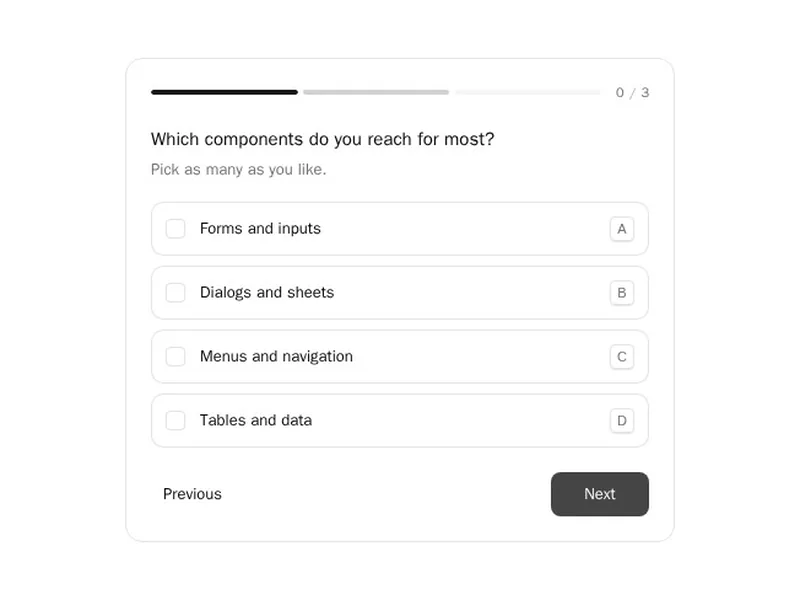
An agent that works out of sight makes people nervous. These components put its work on screen: the plan it made, the tasks it is ticking off, the tools it called and what came back. They also cover the moments it has to stop and ask, from a yes or no approval to a short set of questions with lettered answers. Watch each one run, then install it and feed it your agent's real steps.
AI agent components show the work an agent does between a request and a result: the plan it writes, a task list it checks off, each tool call with its input and output, and the points where it needs a person. That includes approval prompts, choices to confirm and short sets of questions answered one at a time.
Good agent UI keeps people in charge without making them read everything. Collapse finished steps, highlight the one running now, show errors where they happened and make approvals impossible to miss. Every question an agent asks should be answerable from the keyboard.
Frequently asked questions
What the agent is trying to do, the step it's on, what tools it used and what came back, and anything it needs from the user. Finished work can collapse into a short summary.
Render each call as a compact block with the tool's name and a status, then let people expand it to see arguments and results. Keep long outputs scrollable and copyable.
Pause the run and show what will happen in plain words, with Approve and Deny buttons and any details that matter, such as the file or amount. Resume only after an explicit choice.
Show one question at a time with lettered or numbered answers, a progress indicator and keyboard shortcuts. Let people go back, and send all answers together once the last one is chosen.
List the steps with a status for each, pending, running, done or failed, and update them as events arrive from your agent. Let people expand a step to see its detail.
Stream progress as it happens, show elapsed time, allow cancelling, and keep the run visible if people navigate away and come back. Notify them when it finishes.
They render whatever state you pass them. Connect them to the events your framework emits, whether that's the Vercel AI SDK, LangGraph, the OpenAI or Anthropic APIs, or your own loop.